
Best Drawing Tablets for Students & Artists
Graphic tablets are invaluable tools for students in art, design, engineering, or digital studies. They offer precision, creativity, and convenience, allowing students to draw, annotate, and take notes digitally.
Even if you’re on a budget, affordable graphic tablets provide excellent performance for both study and creative projects. They help students digitize notes, create artwork, and collaborate on assignments more efficiently than traditional pen-and-paper methods.
Investing in a budget-friendly graphic tablet is more than just a tech upgrade—it’s a way to enhance learning, explore creativity, and improve productivity. This guide will highlight top affordable graphic tablets, practical buying tips, and FAQs to help students make informed decisions.
Buying Guide: How to Choose the Right Drawing Tablet
When picking a drawing tablet, students and artists should consider:
- Size & Active Area
- Larger tablets give more freedom for detailed work; compact ones are better for portability.
- Pressure Sensitivity
- Most modern tablets offer 8192 levels of pressure sensitivity, ensuring precise strokes.
- Hot Keys & Shortcut Buttons
- Customizable buttons speed up workflow and improve efficiency.
- Display or Non-Display Tablet
- Pen display tablets show your work directly on the screen. Non-display tablets require a computer screen.
- Compatibility
- Ensure compatibility with Windows, Mac, Android, and graphic software (Photoshop, Illustrator, Clip Studio Paint, etc.).
- Budget & Value
- Affordable options exist without compromising quality. Look for deals, bundles, and coupon offers.
Top Drawing Tablets for Students & Artists
| Product | Price | Rating | Key Features | Pros | Cons | Buy Now |
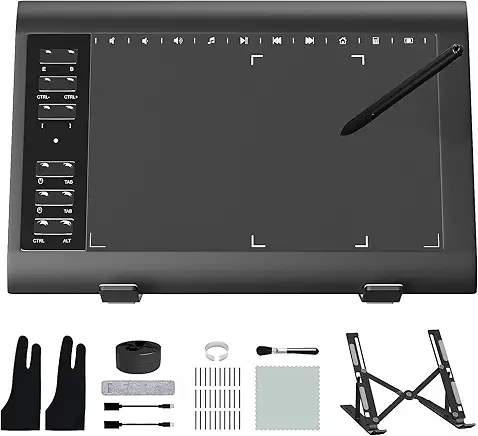
| HUION Inspiroy H640P | $29.99 (List $39.99) | 4.4/5 (13.2K) | 6×4 inch, Battery-Free Stylus, 8192 Pen Pressure, 6 Hot Keys | Compact, affordable, responsive | Small drawing area | Buy Now |
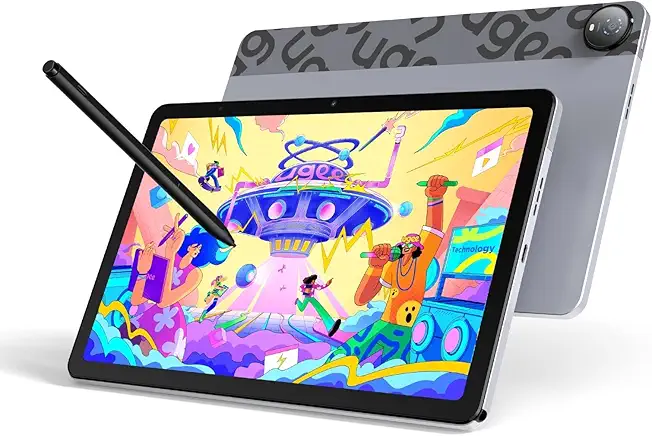
| UGEE M708 | $42.49 (List $57.99) | 4.4/5 (5.8K) | 10×6 inch, 8 Hot Keys, Passive Stylus | Large area, good build | Not screen display | Buy Now |
| Ugee 6.5×4 Inch | $27.99 (List $36.99) | 4.4/5 (1.1K) | Battery-Free Stylus, 8192 Pressure, 10 Hot Keys | Portable, tilt support | Small active area | Buy Now |
| HUION KAMVAS 22 Plus | $417.00 | 4.4/5 (99) | 21.5″ Pen Display, 140% sRGB, Tilt Support | Large display, vivid colors | Expensive, heavy | Buy Now |
| HUION Inspiroy H1060P | $59.99 | 4.4/5 (6.7K) | 10×6.25 inch, 12 Hot Keys, Battery-Free Stylus | Large drawing area, tilt support | Needs driver installation | Buy Now |
| HUION H420X | $19.99 | 4.2/5 (1.2K) | 4.17×2.6 inch, OSU game compatible | Ultra-portable, cheap | Very small drawing area | Buy Now |
| HUION KAMVAS Pro 16 | $304.99 (List $399.99) | 4.5/5 (4.8K) | 15.6″ Pen Display, Anti-Glare, 6 Hot Keys | Professional-grade, color accurate | Expensive | Buy Now |
| GAOMON PD1161 | $199.99 | 4.3/5 (6.6K) | 11.6″ Pen Display, 8 Hot Keys, Tilt | Good display, portable | Moderate price | Buy Now |
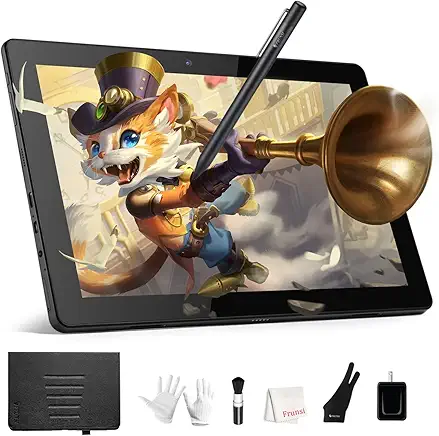
| PicassoTab X | $179.95 (List $199.95) | 4.0/5 (2.6K) | Standalone tablet, 10″ screen | No computer needed | Limited software | Buy Now |
| XOPPOX 10×6 Inch | $37.99 (List $54.99) | 4.1/5 (1.3K) | Battery-Free Pen, 12 Hot Keys | Affordable, functional | Slightly small | Buy Now |
| GAOMON S620 | $33.99 | 4.4/5 (16.7K) | 6.5×4 inch, 4 Express Keys | Cheap, portable | Small active area | Buy Now |
| Wacom Intuos Small | $59.95 | 4.5/5 (35K) | 4 Express Keys, Bluetooth, Small | Reliable brand, portable | Small surface | Buy Now |
| ienRon 10×6.25 Inch | $37.98 | 4.4/5 (51) | 12 Hot Keys, Battery-Free Pen | Affordable, functional | Basic design | Buy Now |
| GAOMON M10K | $59.99 | 4.4/5 (16.7K) | 10×6 inch, Touch Ring, 10 Hot Keys | Large area, functional | Slight learning curve | Buy Now |
| HUION Kamvas 13 (Gen 3) | $249.00 (List $269.00) | 4.5/5 (311) | 13.3″ Full Laminated, Dual Dial, 16384 Pressure | Professional-grade, precise | Mid-range price | Buy Now |
| HUION 420 OSU | $16.99 | 4.0/5 (6.8K) | 4×2.23 inch, Digital Stylus | Very cheap, portable | Tiny active area | Buy Now |
| HUION HS610 | $59.99 | 4.5/5 (9.2K) | 10×6.25 inch, Tilt Function | Affordable, tilt support | Driver installation needed | Buy Now |
Pro Tip: For beginners, HUION Inspiroy H640P or GAOMON S620 are highly recommended. For professionals, consider HUION Kamvas 22 Plus or GAOMON PD1161.
Detailed Reviews: Top 5 Picks
1. HUION Inspiroy H640P
Why Students Love It: Affordable, responsive, and lightweight. Perfect for digital drawing, note-taking, and online teaching.
Pros:
- Battery-free stylus with 8192 pressure levels
- Compact and portable
- 6 customizable hotkeys
Cons:
- Small active area
Best For: Beginners, students, and hobby artists
2. UGEE M708
Why Students Love It: Larger workspace with high precision for more detailed work.
Pros:
- Large 10×6 inch drawing area
- 8 hotkeys for workflow customization
- Affordable for mid-range users
Cons:
- Not a pen display (needs external screen)
Best For: Intermediate digital artists and students
3. HUION KAMVAS 22 Plus
Why Students Love It: Professional-grade pen display tablet with vibrant colors and tilt support.
Pros:
- Large 21.5″ screen with laminated display
- 8192 levels of pen pressure and tilt recognition
- Android compatibility
Cons:
- Expensive
- Requires desk spaceBest For: Professional artists, designers, and serious students
4. GAOMON S620
Why Students Love It: Compact, reliable, and budget-friendly for beginners.
Pros:
- 8192 pressure levels
- 4 customizable Express Keys
- Lightweight and portable
Cons:
- Small active area
Best For: Beginners, OSU gamers, and students on a budget
5. Wacom Intuos Small
Why Students Love It: Trusted brand with reliable drivers and Bluetooth connectivity.
Pros:
- Compact and portable
- 4 customizable Express Keys
- Works with multiple platforms
Cons:
- Small drawing area
Best For: Students, teachers, and portable digital art
Tips for Using Your Drawing Tablet
- Set Up Properly: Install drivers and calibrate stylus for accuracy.
- Use Shortcut Keys: Customize hotkeys for frequently used commands.
- Maintain Your Workspace: Keep screen and tablet clean for smooth drawing.
- Practice Daily: Consistency improves speed, precision, and confidence.
- Explore Software: Use Photoshop, Clip Studio Paint, Krita, or Procreate for best results.
Conclusion
Drawing tablets in 2025 offer great value for beginners, students, and professionals. From HUION Inspiroy H640P for portability and affordability to HUION Kamvas 22 Plus for high-end professional work, there is a tablet for every need and budget.
Final Recommendation: Beginners should start with HUION Inspiroy H640P or GAOMON S620, while serious artists can invest in HUION Kamvas 22 Plus or GAOMON PD1161 for the best experience.